
Interview Scheduling 201
There are several different ways interviews can be handled in ICIMS. Here are the different options I’ve seen, how to tell which one you have, and some notes on functionality of the various approaches.
Compose Email
Many customers are using the the Auto-Launch Action “Compose Email (Applicant)” to schedule interviews. You can tell if you are using this method if you go to Admin > System Configuration > Applicant Tracking > Recruiting Workflow Bins and Statuses > Edit. Then select the status you use to send someone an invitation for an interview. When you give an applicant this status, you get a compose email window:
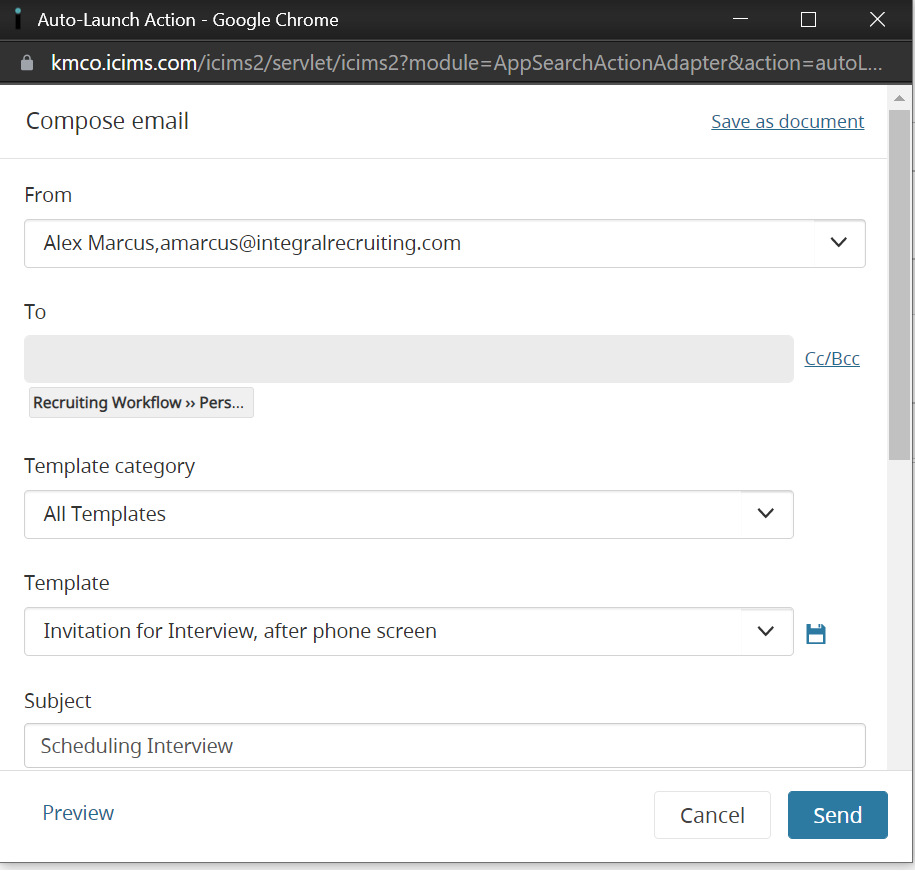
If this is how you are scheduling interviews, you are probably unaware that one of the next two options is also enabled in your system: you’re just not using it yet.
To figure out which one is currently activated in your system, go to a job, select at least one candidate on the People tab, and click More > Schedule Interview.Depending on what pops up when you do this, you’ll be able to tell which version you have. In both cases, you will need to associate the Auto-Launch Action “Schedule Appointment (Workflow)” to the correct recruiting workflow status.
Legacy Interview Scheduling
Legacy interview scheduling provides self-scheduling capabilities in addition to standard scheduling functionality. I found it confusing that the older of the two legacy versions has self-scheduling capabilities, and the newer legacy version does not. But that’s just how it is.
Below is what you’ll see if you have Legacy Interview Scheduling.
Legacy Interview Management
Legacy interview management provides an automated, simplified experience for common interview needs, and a fully customizable experience for unique interview needs.
Here is what you’ll see if you have Legacy Interview Management:Some features of Interview Management include:
- Candidate resumes are automatically attached to emails sent to interviewers. If there are multiple candidates invited to the interview, each resume is attached. If candidates are added or removed from the interview, the resume attachments are automatically updated.
- You can have multiple interviewers
- You can select multiple candidates (onsite or custom only)
- There is a Google Meet and a Zoom integration for this module
- The Teams integration is specifically for the Feedback form and will not cause a video link to appear when selecting a Video interview.
Some key points to consider:
To initialize Legacy Interview Management, you must navigate to the Person tab of the Job profile.
Click here for training documentation created by IRD with screenshots.
You can embed this training in your ICIMS dashboard using the following embed code:
<iframe src=”https://scribehow.com/embed/Legacy_Interview_Management_in_iCIMS\_\_CVglisivTE-BZXp3jhv-4w” width=”640″ height=”640″ allowfullscreen frameborder=”0″></iframe>
(New) Interview Scheduling
I call this “New Interview Scheduling,” but it is called Interview Scheduling in the reference material. Some features of New Interview Scheduling include:
- Candidate self-scheduling
- Customizable interview type templates
- Branded candidate portal
- Recruiters can customize availability preferences (Outlook connection necessary)
- Zoom integration scheduled for Winter Release (Feb 22)
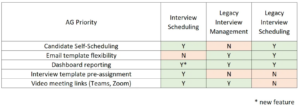
Comparison
Reference
Understanding Interviews in ICIMS Applicant Tracking
Legacy Interview Scheduling
Creating and Editing Appointments or Interviews
Using the Self-Scheduling Feature
Legacy Interview Management
Configuring the Interview Management Feature
Scheduling Interviews with Legacy Interview Management (for the “Video Interview” and “Phone screen” options)
Customizing Interviews with Legacy Interview Management (for the “Onsite group interview” and “Custom group interview” options)
Managing Scheduled Interviews with Legacy Interview Management
Accessing Scheduled Interviews
New Interview Scheduling
Getting Started with Interview Scheduling
Configuring Interview Scheduling
Scheduling Interviews with Interview Scheduling
Feedback Forms and Teams Integration
Requesting and Reviewing Feedback in ICIMS Applicant Tracking
Looking for real-world solutions and a community that gets it? Join System Admin Insights (SAI): a dedicated space for ICIMS system administrators, power users, and TA tech pros. Share ideas, troubleshoot challenges, and stay ahead of the curve with peers who speak your language. Click here to join SAI today.